To save this app to your home screen, follow the steps below.
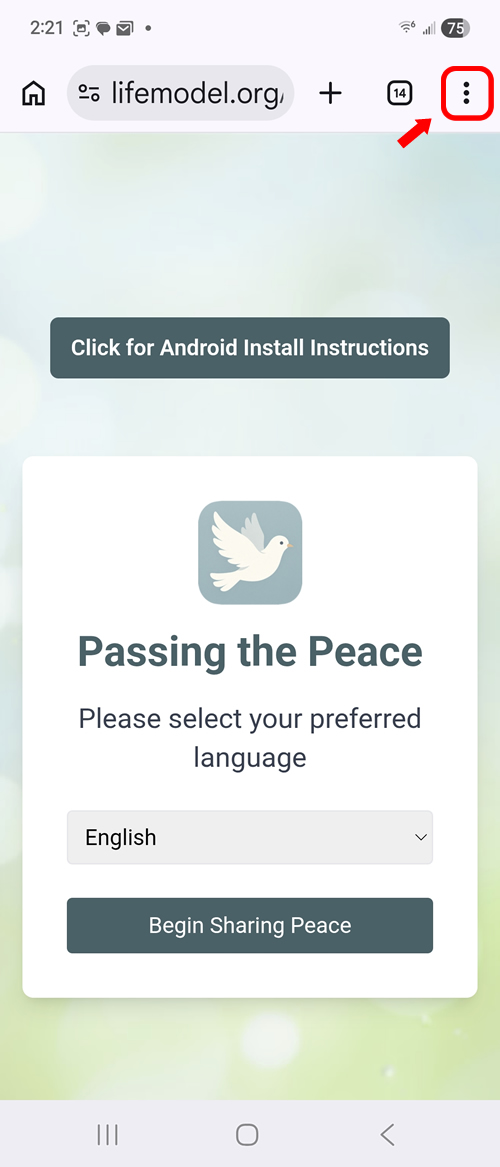
Step 1: Tap the three-dot menu in the top right corner of Chrome
Step 2: Tap Add to Home Screen
Step 3: Tap Install
Step 4: Tap Install to confirm
Step 5: Find the App and Open it